Introduction

Digital Literacy Class: We are going to learn about so many incredible ways to be creative, collaborative, and to communicate. We will focus on computer skills and applications. Some topics you already know about, and you will know better, and other topics and applications will be new to you! Either way, we will work together to find the ones you are able to use best. This class consists of Project-Based-Learning. You will be given plenty of time to learn the skills and applications that you will use for a lifetime. I hope you enjoy the material we will cover. - Mr. S

Tuesday, April 5, 2022

Landscape Sketchpad.IO Project

BACKGROUND
The word picturesque refers to an ideal type of landscape that has an artistic appeal, in that it is beautiful but also with some elements of wildness. Interest in landscape painting and in looking at the landscape itself grew rapidly through the second half of the eighteenth century. 

Definitions of types of landscape or view, seen from an aesthetic or artistic point of view, followed. At one extreme was the sublime (awesome sights such as great mountains) at the other the beautiful, the most peaceful, even pretty sights. In between came the picturesque, views seen as being artistic but containing elements of wildness or irregularity.

The theory of the picturesque was developed by writers William Gilpin (Observations on the River Wye 1770) and Uvedale Price, who in 1794 published An Essay on the Picturesque as Compared with the Sublime and Beautiful.

OVERVIEW

The following project will allow you to hone your digital artistic skills by allowing you to be creative in your interpretation of an existing photograph or image, and re-creating it by your own hand.  Additionally, you will be required to remove the background of images downloaded from the internet, and use them as part of a larger project. 

(❗️) PROJECT / ASSIGNMENT
Students will create an original art piece using skills and tools (SKETCH.IO) from the last lesson. Students will start by finding an image of a landscape that they like online.  Once they find the image, they will attempt to re-create it using Sketchpad.IO.  As part of the project, students must also identify at least one item used in the recreation, find an image online, and remove the background using REMOVE.BG.  The new item, without a background, will be inserted into the new landscape project.  Once completed students will need to upload their final project to their Google Drive and SHARE it with Mr. S (harvey.scribner@techfreire.org) for credit. Students should also post this project to the main page of their Student Digital Portfolio (Quarter 1 Project).

YOUR PROJECT MUST INCLUDE THE FOLLOWING
  Depth - You must have items/characters in the foreground, middle, and background
  Color - You must use more than 6 different colors in your drawing
  Shape - Your drawing must include at least 5 different shapes or lines
  Building - You must include at least one structure
  Remove.BG - You must include at least one image with the background removed
  Original Work - You cannot just copy/paste an entire work into the project.

STEP BY STEP
  1. Use Google Images to search for a landscape image that interests you.
  2. Download a copy of the image to your Chromebook for reference
  3. Open SKETCHPAD.IO and make sure it is connected to your Google Account
  4. Click the + to create a new drawing/project and choose the background
  5. Try your best to recreate the landscape image you chose with the tools available.
  6. Take Your Time (You have today and tomorrow to work on this)
  7. Add at least one item that you removed the background on using remove.bg
  8. When complete, DOWNLOAD your art to your Chromebook
  9. UPLOAD your image to Google Drive and SHARE it with Mr. S for credit.

LEARNING OBJECTIVES
After this lesson students will be able to:
define digital art
discuss the history of digital art
explain how digital art is used today
create some basic examples of digital art

CURRICULUM STANDARDS (PA)
CCSS.ELA-Literacy.RH.11-12.4: Determine the meaning of words and phrases as they are used in a text, including analyzing how an author uses and refines the meaning of a key term over the course of a text (e.g., how Madison defines faction in Federalist No. 10).

CCSS.ELA-Literacy.RH.11-12.5: Analyze in detail how a complex primary source is structured, including how key sentences, paragraphs, and larger portions of the text contribute to the whole.

CCSS.ELA-Literacy.RH.11-12.7: Integrate and evaluate multiple sources of information presented in diverse formats and media (e.g., visually, quantitatively, as well as in words) in order to address a question or solve a problem.

MATERIALS
Computers with Internet Access and Sketchpad.IO or similar application
A photo of digital art

REFERENCES
https://www.tate.org.uk/art/art-terms/p/picturesque


Monday, April 4, 2022

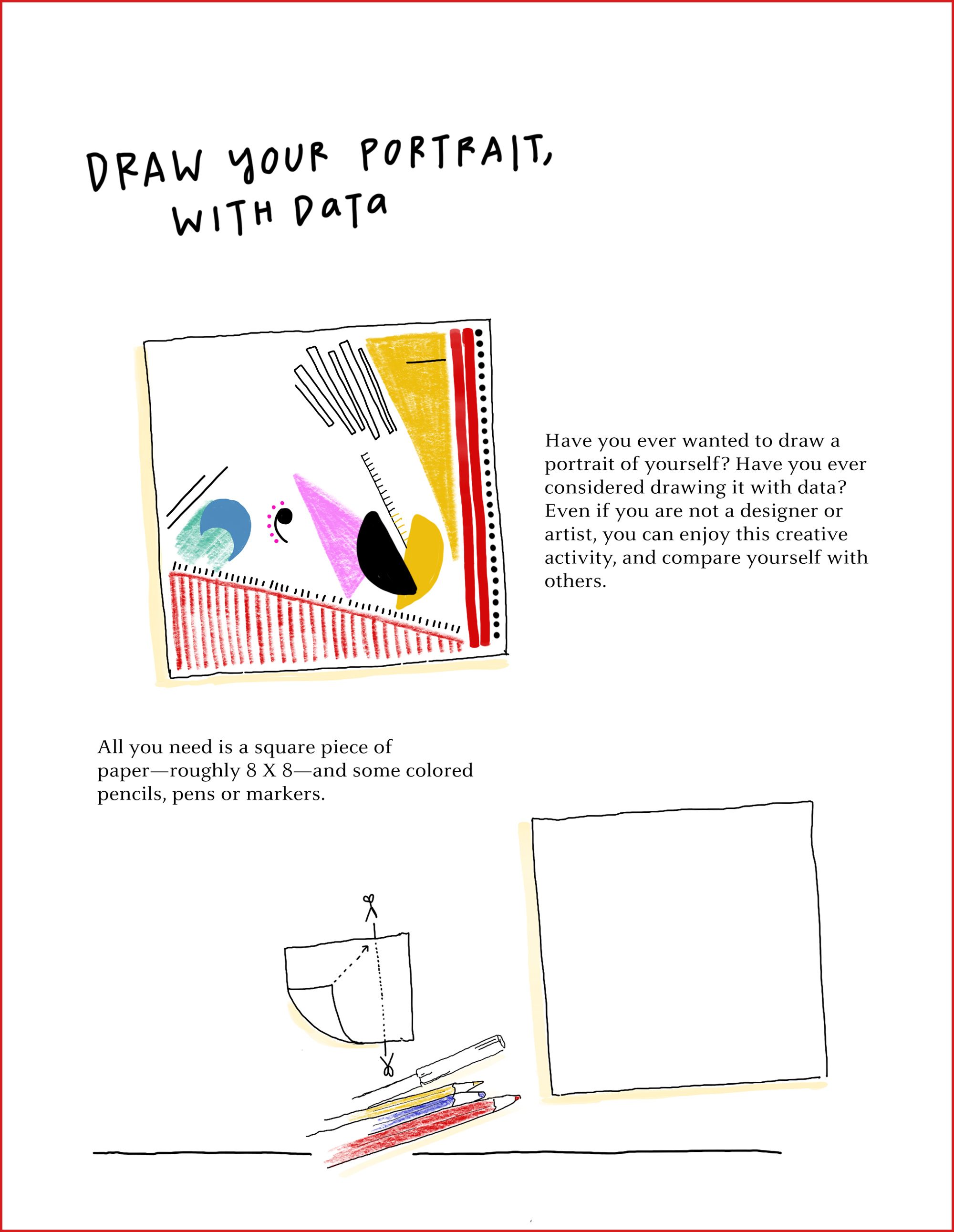
Personal Data Visualization Digital Art Project

BACKGROUND
"Designer Giorgia Lupi wants to change the way we think about data — far from being cold facts and numbers, it can be warm and often flawed. Follow her step-by-step instructions to generate a data-driven perspective on the person you know best: you."
- Freitas, J., & About the authorJames Freitas is a writer from Massachusetts. (2017, October 02). How to draw your own selfie - using your personal data. Retrieved April 20, 2021, from https://ideas.ted.com/how-to-draw-your-own-selfie-using-your-personal-data/

OVERVIEW

The following project will help you understand how data can be used to create visualizations that help others understand it more easily. Many examples exist in our world, and many careers are increasingly relying on these types of visualizations to make sense of the vast amounts of data that are generated by almost everything we do. From our shopping and personal habits to the large amounts of data created by almost every field of study, it is sometimes easy to become "lost" in the numbers and stacks of random tables that the data is organized into.

"Remember that data, like us, is imperfect. “It’s time to leave behind any presumption of absolute control and universal truth,” says Lupi. Since we get our data from humans; it’s riddled with human error and tainted by biases. We should embrace these imperfections, just as we embrace imperfections in ourselves and others. These portraits are only the start of forming a new relationship with your data. Once you feel more connected to it, you’ll see it differently. We must treat data “as the beginning of the conversation,” Lupi says, “and not the end.”" - IDEAS.TED.COM (article references above)

Please spend some time tonight watching the following video about this project:
https://www.ted.com/talks/giorgia_lupi_how_we_can_find_ourselves_in_data

(❗️) PROJECT / ASSIGNMENT
Students will create an original art piece using skills and tools (SKETCH.IO) from the last lesson. Students will open the following Data Selfie Digital Art Project Google Slides (Click Here) and follow all the directions to complete their personal data portrait. Once completed students will need to upload their final project to their Google Drive and SHARE it with Mr. S (harvey.scribner@techfreire.org) for credit. Students should also post this project to the main page of their Student Digital Portfolio (Quarter 1 Project).

LEARNING OBJECTIVES
After this lesson students will be able to:
  define digital art
  discuss the history of digital art
  explain how digital art is used today
  create some basic examples of digital art3.5K views

CURRICULUM STANDARDS (PA)
CCSS.ELA-Literacy.RH.11-12.4: Determine the meaning of words and phrases as they are used in a text, including analyzing how an author uses and refines the meaning of a key term over the course of a text (e.g., how Madison defines faction in Federalist No. 10).

CCSS.ELA-Literacy.RH.11-12.5: Analyze in detail how a complex primary source is structured, including how key sentences, paragraphs, and larger portions of the text contribute to the whole.

CCSS.ELA-Literacy.RH.11-12.7: Integrate and evaluate multiple sources of information presented in diverse formats and media (e.g., visually, quantitatively, as well as in words) in order to address a question or solve a problem.

MATERIALS
Computers with Internet Access and Sketchpad.IO or similar application
A photo of digital art

REFERENCES
https://study.com/academy/lesson/digital-art-lesson-plan.html
https://sites.google.com/a/greenvilleschools.us/millerdigitalarts/art-1
https://www.ted.com/talks/giorgia_lupi_how_we_can_find_ourselves_in_data
https://ideas.ted.com/how-to-draw-your-own-selfie-using-your-personal-data/


Friday, April 1, 2022

Digital Art Introduction

OVERVIEW
In today's class, students will be introduced to the discipline of digital arts through the exploration of Sketchpad.IO. Students will learn about the basic elements of art, and how to use the various tools when using a digital drawing application. The art that the students create will be two- dimensional and entirely created on the computer or with a camera. There will be opportunities for students to expand their creativity and push their minds to the limit. Students will create self-portraits, digital photographs, collages, digital paintings, or other projects to show mastery.

OBJECTIVE(S) / (SWBAT)
After this lesson students will be able to:
define digital art
discuss the history of digital art
explain how digital art is used today
create some basic examples of digital art3.5K views

(❗️) ASSIGNMENT: ORIGINAL DIGITAL ARTWORK
Students will create an original art piece using at least 3 of the 5 Elements of Art discussed in class. This can be a self-portrait, landscape, or can represent any other genre of digital art. All submissions MUST Conform to the requirements outlined in the Freire Schools Student Handbook for appropriateness for subject matter or topic.

You must submit your digital art using both Gmail and Dropbox for credit. Please attach your project to a Gmail to MR. S (harvey.scribner@techfreire.org), and use the following dropbox link:


LINKS & RESOURCES
Google Slides Introduction To Digital Art Presentation (Click Here to View)

SKETCH.IO In-Class Reference Website
https://sketch.io/news/2018/05/using-sketchpad-with-google-classroom/

REFERENCES
https://study.com/academy/lesson/digital-art-lesson-plan.html

https://sites.google.com/a/greenvilleschools.us/millerdigitalarts/art-1

KEY TERMS
Five Basic Elements of Art: Line, Shape, Color, Texture, Space

ESSENTIAL QUESTION(S)
How is digital art created, and what applications can a student use to create digital art? How can data be transformed into understandable visual representations?

ACADEMIC STANDARD(S) (PA)
CCSS.ELA-Literacy.RH.11-12.4: Determine the meaning of words and phrases as they are used in a text, including analyzing how an author uses and refines the meaning of a key term over the course of a text (e.g., how Madison defines faction in Federalist No. 10).

CCSS.ELA-Literacy.RH.11-12.5 Analyze in detail how a complex primary source is structured, including how key sentences, paragraphs, and larger portions of the text contribute to the whole.

CCSS.ELA-Literacy.RH.11-12.7 Integrate and evaluate multiple sources of information presented in diverse formats and media (e.g., visually, quantitatively, as well as in words) in order to address a question or solve a problem.

MATERIALS
Computers with Internet Access and Sketchpad.IO or similar application
A photo of digital art.


Dragons Breathe Fire

Dragons Breathe Fire